Why Your DOORS Next Report Builder Results Have Duplicates (And How To Fix It!)
In this IBM Engineering Tool Tip, Kevin explains Why Your DOORS Next Report Builder results have duplicate entries and how to fix them!
In this IBM Engineering Tool Tip, Kevin explains Why Your DOORS Next Report Builder results have duplicate entries and how to fix them!
In this Engineering Tool Tip focused on IBM DOORS Classic, Kevin reveals a hidden menu for DXL code authors hidden deep within the bowels of DOORS.
Even with messed up camera settings Kevin comes through with another time saving tip!
Visit https://www.baselinesinc.com for more information about our services in support of IBM Engineering Products. For licensing quotes, demos, or follow-ups contact sales@baselinesinc.com
It’s taken a while, but today the wait is over. IBM Engineering Requirements Management DOORS Next 7.0 has been officially released!
As always, IBM has an overview of what’s new and noteworthy. But here are things we’d like to highlight as being significant.
I hear that in some use cases, performance of the tool has gone up anywhere from 4x to 9x! Rumor is that Oracle DBs have shown the most improvements. This is reason alone to upgrade.
It was not only DOORS Next Generation, but every tool has now been renamed. This was announced about a year ago by IBM. I’m still getting used to it, as are our clients. DOORS Next got the easiest adjustment.
It’s no secret that IBM developers sometimes overcomplicate things. Suspect Links vs. Link Validity is one of those things. It took me a while to wrap my head around the concept.
Starting in 7.0, there is only Link Validity. I think this is a good thing overall and look forward to simplifying the explanation of things to my users.
This also corresponds to Link Validity being reportable in JRS! I worked really closely with IBM support to develop a report for one of my clients in 6.0.5, and it’s great to know that pain is now gone.

In previous versions of the tool, you’d be in your folders view, and insert a few columns. Then you’d click a new folder, and you’d lose your columns. I worked with the DOORS Next developers on this and gave them feedback on how it should work. My feedback has been incorporated into the tool.
My users asked for this years ago, and now they have received.
Chalk up another implementation that I’ve been asking for, for years. This is huge from a usability perspective.
If you are involved in multiple imports/exports from ReqIF files, this should make things much smoother and less error prone.

Yet another one I’ll take some credit for — I’ve given DOORS Next developers feedback that it was not obvious to users how to paste an artifact into an empty module. It is now obvious.
IBM released Engineering Lifecycle Management 7.0 for general release today, and while we’ve covered Requirements Management with DOORS Next in some detail, we wanted to also cover highlights of the rest of the suite.
All of the applications have had their names changed, for better or for worse. I think some of these are going to have a hard time sticking. That said, here are the new names across the board:
| Old Name | Old Acronym | New Name | New Acronymn |
| Rational or Collaborative Lifecycle Management or Continuous Engineering | CLM or CE | IBM Engineering Lifecycle Management | ELM |
| Rational DOORS | DOORS | DOORS Family | DOORS |
| Rational DOORS Next Generation | DNG | DOORS Next | DOORS Next |
| Rational Rhapsody | — | Rhapsody | — |
| Rational Rhapsody Design Manager | RDM | Rhapsody – Design Manger | RDM |
| Rational Rhapsody Model Manager | RMM | Rhapsody – Model Manager | RDM |
| Rational Quality Manager | RQM | Engineering Test Management | ETM |
| Rational Team Concert | RTC | Engineering Workflow Management | EWM |
| Rational Publishing Engine | RPE | Publishing | PUB |
| Rational Engineering Lifecycle Manager | RELM | Engineering Insights | ENI |
| Rational Method Composer | — | Method Composer | MEC |
The above is not the official IBM names to a T–I’ve slightly abbreviated some things. Keep that in mind.
The product banner looks much more modern.

In theory this will improve performance. Please contact us or leave a comment below if you’re using this feature.
500 adapters running in parallel are supported! Pretty huge improvement there.
I actually developed a workaround for not having this years ago. It’s finally in the tool, fully supported!
You can ignore individual resources when LQE fails on a given artifact. Again, big improvement here.

I’ve never had a client ask for this, but I’m glad this is there.
This is interesting and I am not sure of why you would want to do this, but you can duplicate an active change set in Eclipse and Visual Studio.
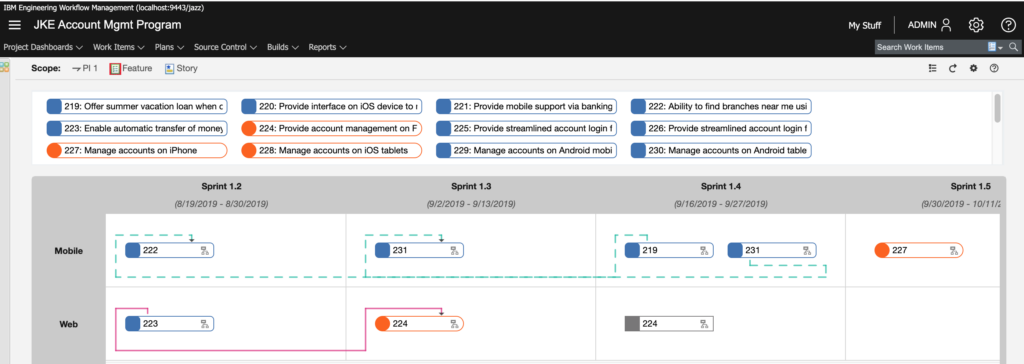
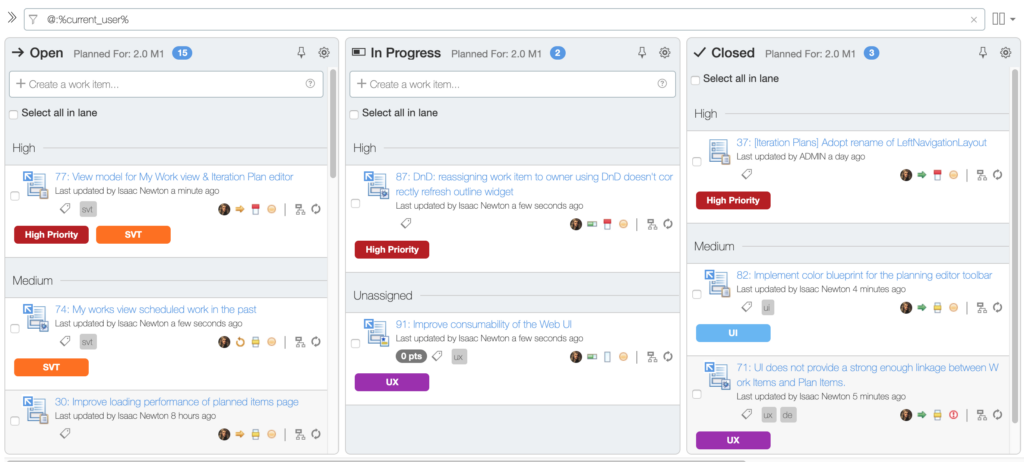
The program board in particular looks fantastic! Of note, color tags are supported as well.
Unfortunately, there’s not much to report here as far as our interests. The improvements appear to have all gone to Document Builder and not to the Publishing thick client.
As an aside, it’s going to be very difficult for me to call it just “Publishing.” Really wish Publishing Engine had stuck instead.
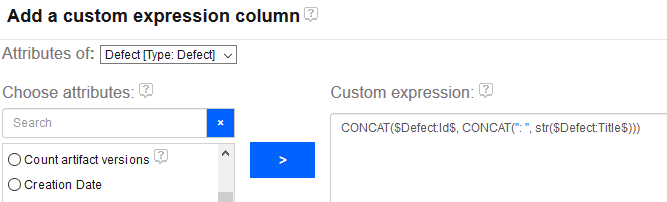
Previously, a report author could only create a custom column with a calculation on a single attribute. For instance, it was not possible to calculate a RPN for an FMEA-style report by creating a custom column that inspected both Likelihood and Occurence. You could only make a column that say, truncated Likelihood and that’s it. This was a *severe* limitation.
Enter version 7.0!
IBM just released the latest version of their Collaborative Lifecycle Management (CLM) suite, which includes DOORS Next Generation (DNG), Rational Team Concert (RTC) and Rational Quality Manager (RQM). This is a huge update and I think it lays the foundation for the future direction of the tool.
CLM 6.0 was marked by configuration management (CM) appearing for DNG and RQM, however there were limitations on opting-in to CM. Many of those limitations are now removed, and instead of focusing solely on CM, the developers of all the applications were able to focus on adding new features and refining existing ones.
I’m not kidding when I say the changelist is huge, so grab yourself some coffee and dig in for all of these new features, which are available right now from Jazz.net! Here are some of the new features and changes I find most notable.
See more information about what’s new in DOORS Next Generation 6.0.1.
See more information about what’s new in Rational Quality Manager 6.0.1.
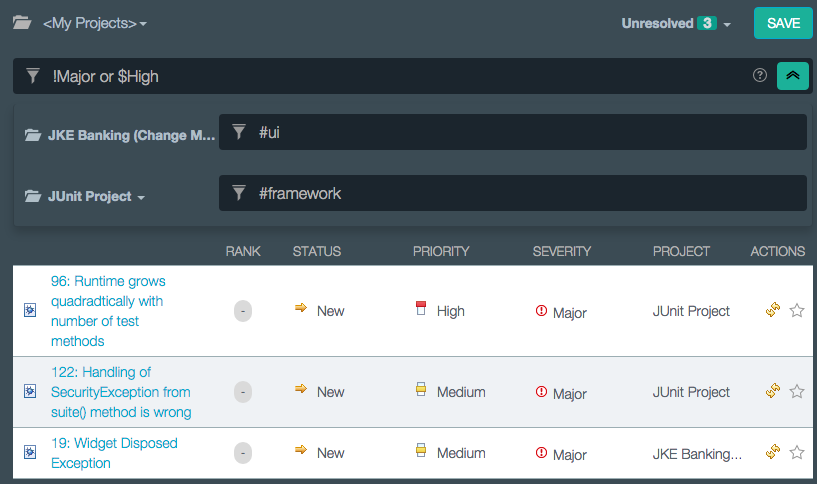
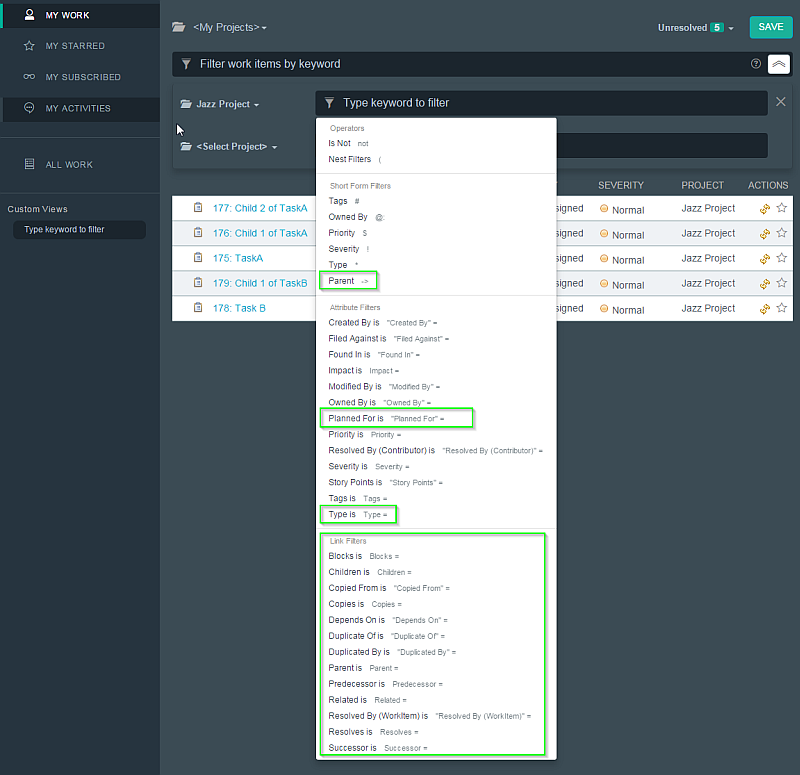
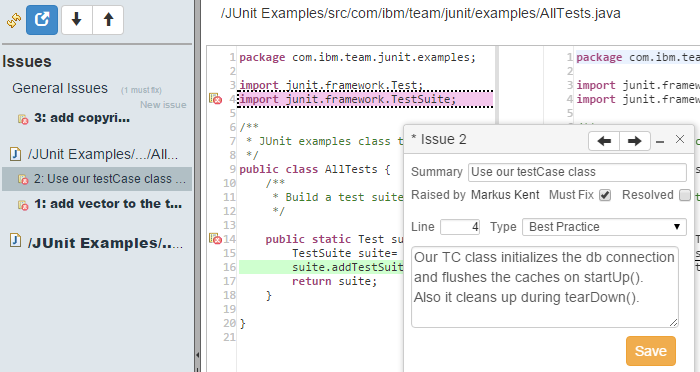
See more information about what’s new in Rational Team Concert 6.0.1.

See more information about what’s new in the Jazz Report Builder (JRS), Data Collection Component (DCC), and Lifecycle Query Editor (LQE) applications.
See more information about what’s new in the Jazz Team Server applicationJazz Team Server application..
IBM DOORS Next Generation, Rational Quality Manager, and Rational Team Concert 5.0.2 were just released.
You can read the release notes on Jazz.net. Notable in DNG are greatly enhanced file management and much needed updates to managing views.
The Jazz Reporting Service is also promoted to more of a public view, and my guess is that in 6.0 it will be fully baked in. It looks very promising.
One of the coolest pieces of DOORS-related tech I saw at Innovate 2014 was Author XG by GEBS. GEBS developed the early versions of Rational Publishing Engine and really know their stuff when it comes to Document Generation and Reporting via DOORS. Author XG is basically RPE for non-technical people. Awesome stuff.
If you want to see Author XG and even learn more about RPE, GEBS is hosting a few FREE webinars over the coming months.
The first Webinar is Tuesday July 29th 2014
9:00 AM NA Eastern Time (UTC – 4)
9:00 AM NA Pacific Time (UTC – 7)
Do you want to know more about document generation? Are you curious to learn how automated publishing might benefit your organization? Then why not join us for our introductory tour of document generation technologies and discover the tools, methods and solutions that can enhance both your bottom line and delivery capability. (Note – this introductory webinar is industry/tool agnostic, and not specific to IBM Rational Publishing Engine).
The webinar will last approximately 1 hour with a question and answer session. Registration and attendance is free.
Presenter: Alex Feseto of GEBS
This is the first webinar in an enlightenment series on document generation, below you can find the schedule for the next episodes:
Tuesday August 12th – Getting Started With Rational Publishing Engine – Register now
Thursday September 4th – Introducing Author XG: the future of document generation
September TBA – Introducing Reporting Central: the modular CMS for RPE and Author XG
October TBA – Advanced hints, tips & tricks for RPE and friends
October TBA – End to end document generation with RPE, Author XG, Reporting Central and Web Publisher
October TBA – Generating documents across the SDLC
Anyone who has downloaded the milestone release of Rational Requirements Composer 5.0 may have noticed that in the help documentation, Rational Requirements Composer does not have its own help section. DOORS Next Generation, however, does.
When version 5.0 of the Jazz suite gets released in June, RRC will be no more. The name of Jazz’s requirements management tool will henceforth be Rational DOORS Next Generation.
I suspected this change coming for a while. As RRC gained modules, most places I’ve seen latched onto modules, even if they had never used DOORS 9. Having DOORS and RDNG still presents the “which tool should I use” problem to IBM, but at least IBM has narrowed the list down from three tools to two tools.
With the upcoming Requirements Configuration Management capabilities in RDNG (open beta starting around June and final release coming in Q4), I expect RDNG’s marketshare to grow exponentially, especially since existing DOORS 9 users can leverage their licenses for RDNG.
In the meantime, I can now speak about RDNG to everyone we do business, and that will lead to less confusion to my customers and even within IBM. June 1 can’t get here soon enough.

From now until the end of 2013, registering on IBM’s JazzHub allows free hosting of source code for public and private projects.
This was just announced so I haven’t been able to dive in head first on this, but JazzHub seems to be an implementation of Rational Team Concert in the cloud that has been set up to import code from github, who also allows free project hosting for open source projects.
There is a small catch here. Your private projects are hosted at no cost to you until January 2015, where fees start to apply. At that time you can either migrate your projects elsewhere, convert them to open source, or decide to pay.
While we here at Baselines Incorporated have always been experts in requirements management, we learned Rational Team Concert when we saw that Jazz was the future platform for the Rational DOORS brand. While Rational Requirements Composer/DOORS Next Generation are not currently at feature parity with DOORS Classic, going towards Jazz allows for a much better backend architecture than the current DOORS Classic settings, which will eventually allow for things like true version control of requirements! (This will be the killer feature that solidifies DOORS Next Gen’s place in the market as the new requirements leader. You heard it here first.)
Git/Github is great for version control. Aside from a bit of a learning curve because of a new paradigm of source code control, I don’t personally have many complaints about it. It’s easy to use when you know how to use it. The simultaneous problem and benefit with git in my opinion is that other than the command line, there’s no standard client to use.
RTC allows use of a command line, explorer shell extensions in Windows, Visual Studio, and Eclipse. Eclipse has a fully configured RTC download and RTC is a plug-in on the Visual Studio side. There are git plugins for Eclipse too (I’m not sure about VS). But RTC was built with Eclipse in mind and so there is just one RTC plug-in for Eclipse.
In any case, if you’ve been wanting to try out RTC for some application ideas you’ve had, there’s really not a lot of reason not to try JazzHub right now.
Feel free to contact us for more information regarding DOORS, DOORS Next Generation, Rational Team Concert and Rational Quality Manager.
I wonder if my last post had anything to do with this.
How to remove “Table” caption prior extracting document in IBM Rational Publishing Engine
What a horrible title for this technote. The “Table” caption comes in as a HEADING, not a caption. And this problem only exists in exports from DOORS that were brought in from MS Word and that is also not mentioned. The word DOORS isn’t even in the title, which tells me that most RPE customers are using DOORS.
While the information in the technote is valuable, I still can find no actual reason any long time user of DOORS would want invisible table headers to have a heading of “Table” on tables exported to DOORS from Word documents. Unless every DOORS table will always have this heading regardless of where it is created, this “feature” needs to be removed in the next release.